



GG777 App: Android, iOS Lite and Mobile Access Guide
GG777 App gives mobile access through Android, iOS Lite and the browser. Each route reaches the same account, but installation size, phone requirements and everyday convenience differ enough that choosing the right one can make mobile use noticeably smoother.
GG777 App Access on Android, iOS and Browser
Mobile access at GG777 is not limited to a single App. Android users can install the APK, iPhone users have the lighter iOS Lite option, and anyone with a compatible mobile browser can log in without installing another application.
That distinction is useful because downloading the App is not automatically the best choice for every phone. Someone opening the lobby several times a day has different needs from someone who logs in only occasionally. Storage space, operating-system version, RAM and whether the phone is shared all affect the decision.
| Detail | Android | iOS Lite |
| Version | 3.8.2 | 2.6.1 |
| File size | 148 MB | 96 MB |
| Minimum OS | Android 7.0 | iOS 12 |
| Recommended RAM | 3 GB | 2 GB |
| Currency | PHP | PHP |
| Login | Existing account | Existing account |
| Update method | In-app/APK update | Lite update |
The specifications tell only part of the story. A 148 MB Android package is easy to accommodate on a phone with plenty of free storage, but it may be inconvenient on an older 32 GB device already packed with photos, videos and messaging apps. In that situation, browser access can be the cleaner choice.
Installing the App on Android
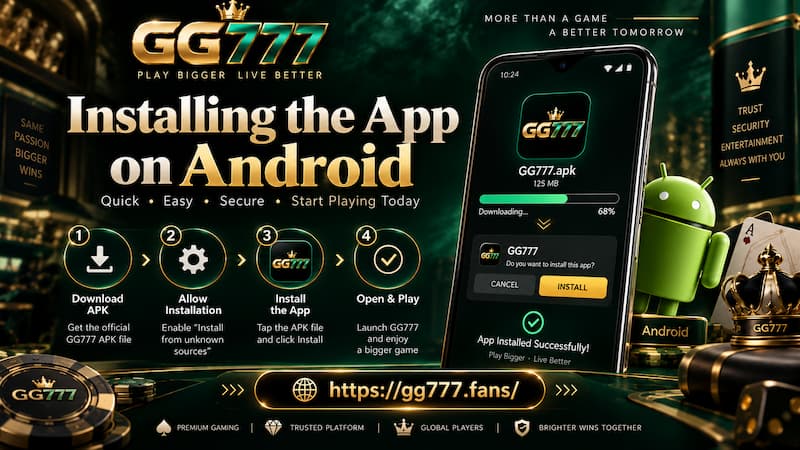
Android gives more installation freedom, but that also means the user has a few extra steps to complete.
Installing the App on Android
Android Device Requirements
Version 3.8.2 requires Android 7.0 or newer, with 3 GB RAM recommended. Samsung, Xiaomi, Oppo, Vivo and Realme phones can all meet the software requirement as long as the Android version is recent enough.
The minimum OS requirement answers one question: Can the App be installed?
RAM and free storage answer another: Will it feel comfortable to use?
A phone barely meeting the minimum specification may open the lobby correctly but struggle more when several processes are running at once. Live dealer tables are a good example. Streaming video, lobby animations and background apps all compete for memory.
For regular mobile use, check three things before downloading:
- Android version is 7.0 or newer.
- At least 148 MB is available for the installation file, with additional free storage left afterward.
- Around 3 GB RAM or more is preferable for heavier sections such as live casino games.
Minimum compatibility means the App can run. It does not guarantee that an older phone will handle every game or live stream as smoothly as a newer device.
Android Installation Steps
The installation process is straightforward:
- Open the GG777 download page on the Android phone.
- Select Android Download.
- Save the 148 MB APK file.
- When Android requests permission, allow the browser to install the downloaded application.
- Install version 3.8.2.
- Open the App after installation finishes.
- Log in using the existing GG777 username and password.
Android may display a security prompt because the APK is being installed through the browser rather than through a standard app-store installation. That prompt is normal for browser-downloaded APK files.
The important part is the source. Avoid searching randomly for similarly named APK files. Using the official GG777 download route reduces the chance of installing an outdated or unrelated package.
iOS Lite Keeps the Installation Smaller
The iOS Lite version takes a different approach. Version 2.6.1 is approximately 96 MB and supports devices running iOS 12 or newer, with 2 GB RAM recommended.
That makes the installation roughly 52 MB smaller than the Android package.
For an iPhone with generous storage, the difference is minor. On an older device where photos, iCloud downloads and messaging attachments already consume most of the available space, a smaller installation becomes more useful.
The word Lite can also be misleading if it is read as a separate account type. It is not.
iOS Lite uses the same member login, wallet and game balance associated with the account. Moving from Android to iPhone therefore does not mean starting again or creating another balance.
For example, suppose ₱3,000 is already available in the account after it was accessed through Chrome on an Android phone. Opening iOS Lite later with the same username and password does not require transferring that balance from Android to iOS. The device changed; the account did not.
One Account Across App and Browser
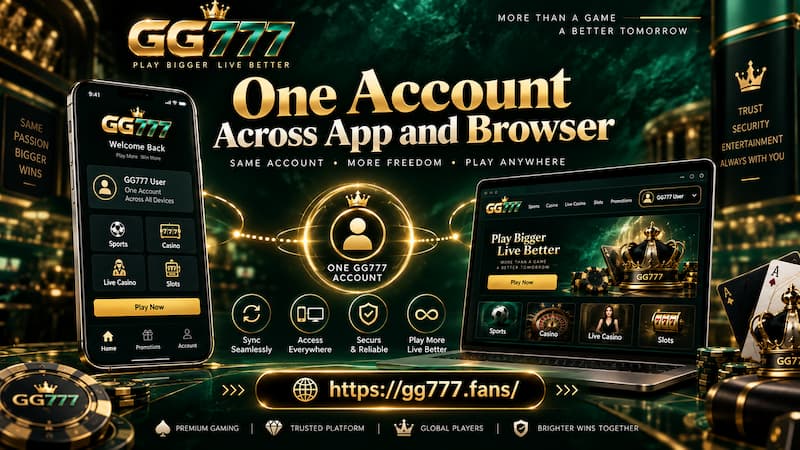
The most useful way to think about mobile access is to separate the account from the access method.
One Account Across App and Browser
Android App, iOS Lite and mobile browser are different doors into the same member account.
That means installing a new version does not require another registration simply because the phone has changed. Existing login details remain the starting point.
This matters when users:
- replace an Android phone with an iPhone;
- temporarily use Chrome instead of the installed App;
- reinstall after clearing storage;
- switch between Wi-Fi and mobile data;
- use the browser while an App update is pending.
There is no practical benefit in creating duplicate registrations just because another access method is being used. Doing so can make account management more confusing, especially when remembering usernames, passwords and which balance belongs to which login.
A simple rule works better: Keep one account and choose the access method that fits the device.
App Performance, Storage and Live Games
A dedicated App can make repeat access more convenient, but installing it does not magically remove hardware or connection limits.
Four factors have a bigger effect on everyday mobile use.
Free Storage
The Android package is 148 MB and iOS Lite is about 96 MB. Installation also needs working space, while future updates may require additional temporary storage.
A phone showing only a few hundred megabytes of free space is already operating close to its limit. Clearing unnecessary downloads or using the browser may be more sensible than forcing another installation onto it.
Available RAM
Recommended RAM is 3 GB on Android and 2 GB on iOS Lite.
RAM becomes more noticeable when live games are involved. A user moving between a live dealer table, messaging apps and the browser may see applications reload more frequently on a low-memory phone.
Closing unused background apps can sometimes help, but hardware still sets the ceiling.
Internet Stability
A strong phone cannot compensate for unstable mobile data.
Live Casino streams require a steadier connection than browsing the game lobby. If a stream repeatedly pauses on both the App and browser, checking Wi-Fi or mobile signal quality makes more sense than reinstalling the application.
Operating-System Age
Android 7.0 and iOS 12 are minimum requirements, not ideal targets.
A newer operating system generally comes with newer browser components, security improvements and better compatibility with modern mobile applications. Users on very old compatible devices should expect a different experience from someone using a current mid-range phone.
App or Mobile Browser?
Installing the App makes sense when it solves an actual inconvenience. If it does not, the browser remains a perfectly practical access method.
Use the App When
The dedicated installation fits better when:
- GG777 is opened frequently.
- Quick repeat access is useful.
- Live games are played regularly.
- The phone has comfortable free storage.
- The device is personal rather than shared.
- Keeping a dedicated icon on the home screen is more convenient than opening a browser each time.
Someone who opens the lobby every evening, for example, is more likely to appreciate direct App access than someone signing in twice a month.
Stay With the Browser When
Browser access has its own advantages:
- No 148 MB Android APK needs to be stored.
- Occasional users avoid maintaining another installed application.
- Shared phones leave less visible App history on the home screen.
- There is no need to grant APK installation permission on Android.
- Users with tight storage can keep that space for photos, videos or other apps.
The browser is also useful as a backup. If an App update is being installed or the phone temporarily has insufficient storage, the account itself does not disappear.
The choice is therefore less about which access method is universally “better” and more about which one creates the least friction on a particular phone.
Updating the GG777 App
Applications change over time, while the member account remains separate from the installation file.
Android uses an in-app or APK update process. iOS Lite follows its Lite update route. When a new package is installed, returning users should sign back into the existing account rather than treating the update like a new registration.
Before updating Android, checking free storage is worthwhile. A phone can have enough space for the installed App but not enough temporary room to download and process a replacement APK.
It is also sensible to confirm the version offered on the GG777 download page rather than keeping an old APK saved indefinitely. Older packages may eventually become less compatible with current lobby functions.
Choosing the Right Mobile Setup
For frequent mobile access, the Android App is a natural fit when the phone has sufficient RAM and storage. iOS Lite offers a smaller dedicated installation for compatible Apple devices. Browser access remains the simplest route when installation is unnecessary or storage is limited.
The useful distinction is easy to remember:
- Android App: Better suited to frequent access on a capable Android phone.
- iOS Lite: A smaller dedicated option for compatible iPhones.
- Mobile browser: Practical for occasional use, shared devices or limited storage.
None of those choices requires the user to treat the account as disposable. The login, wallet and account balance remain more important than the device used to reach them.